
Searching the Pooler Court Docket
Pooler Municipal Court posts its Agency Court Calendar through Courtware. That tool is the first public stop for any Pooler ticket or setting. Keep it separate from Pooler's JusticeONE payment application and from Chatham County Odyssey, and start your search with the most exact number you have.
- Open the official Pooler Online Services page and follow Court Dates to the municipal calendar.
- Filter by Court Date/Time, Name, Case Number, Ticket No, Violation Code, or description.
- Press Enter after using the name filter, as the interface instructs.
- Read the full row, including date type and violation fields; red rows require a court appearance.
- Call Pooler Municipal Court at 912-748-7333 when the entry or appearance duty is unclear.
Was the matter bound over? Then move to Chatham State Court and Odyssey, allowing time for the transfer to be entered. Until the record shows the case moved, keep the Pooler docket search inside the municipal court.
Pooler Courtware Calendar Columns
The Courtware table packs in far more than a bare date list. Headings include Court Date/Time, Court Date Type, Name, Violation Date/Time, Case Number, Ticket No, Violation Code, and Viol Description. Sorting and filtering let you narrow the live table without opening any private document image. The Pooler Municipal Court searchable calendar displays these controls on the official page.
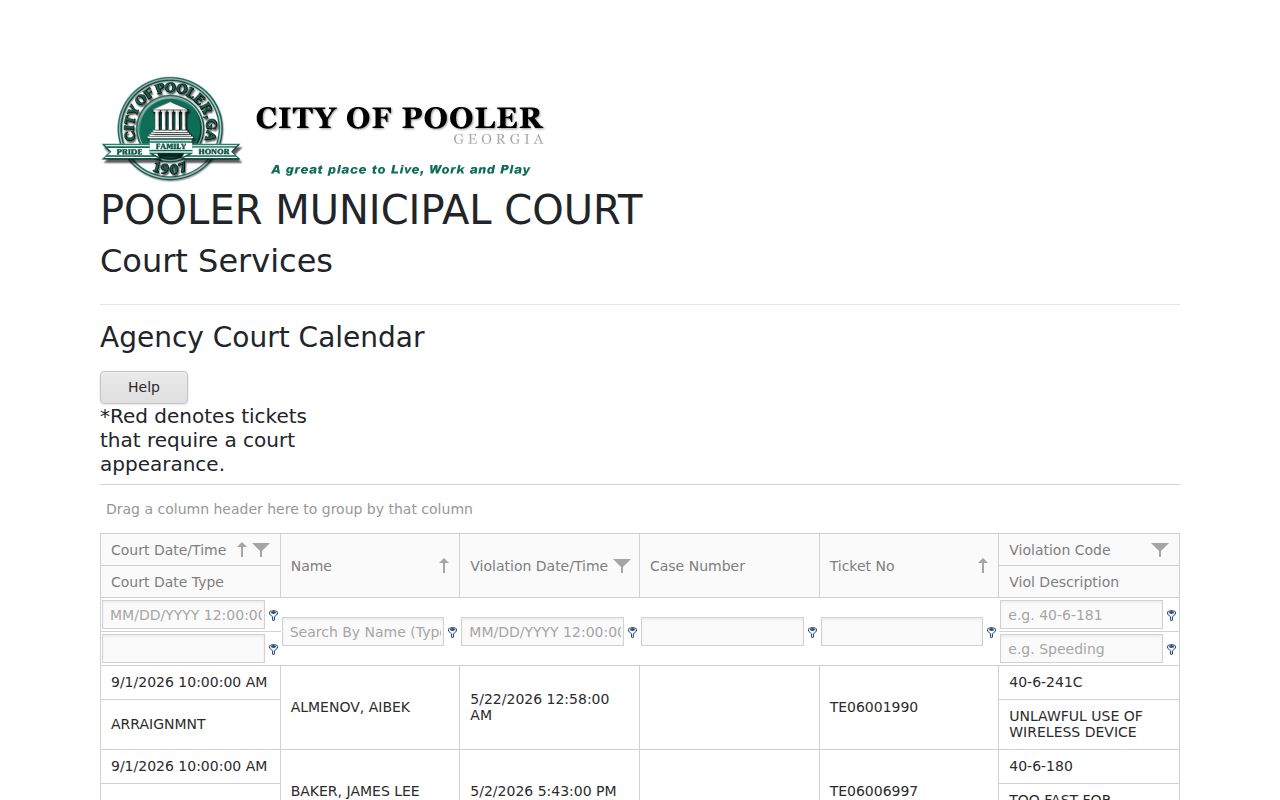
The visible structure supports a date-and-ticket search. It does not expose pleadings, orders, or certified dispositions; those live in the court record the clerk holds.
Pooler Municipal Court Basics
Pooler Municipal Court sits at 100 Southwest Highway 80, Pooler, GA 31322. The county directory lists 912-748-7333 as the court phone. Its docket covers the city-level matters assigned to a municipal court, mainly local traffic and ordinance cases, and the issuing court controls the first setting and the local record.
The city's official Online Services directory splits its links into Citation Payments, Court Dates, Records Requests, and City Hall. That separation matters because each link does a different job. The calendar tells you when and how a case is listed. Payment only tells you whether an eligible citation can be resolved in that application. A records request reaches the city channel for anything the calendar table leaves out.
Pooler Online Services Hub
Treat the city's Online Services page as the routing hub. An old bookmark or a search-engine ad can send you to the wrong place, but the city page links to the current calendar and payment destinations and names the records and City Hall routes. It also cuts the risk of mistaking a vendor for a statewide court system. The Pooler Online Services page is the official starting point.
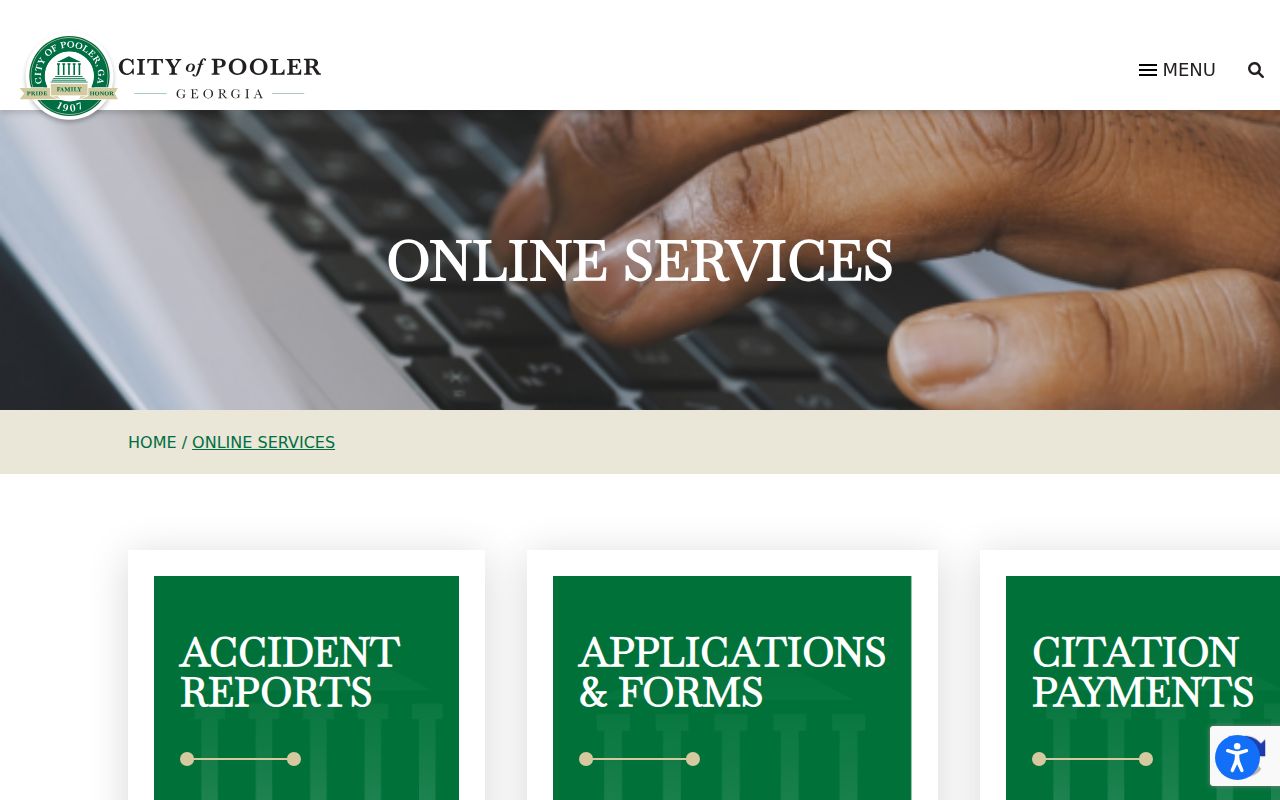
The city page divides the work cleanly. Use Court Dates to read the Pooler docket, Citation Payments for the separate payment app, and Records Requests when a calendar row is not enough.
Court Dates and Settings in Pooler
A Pooler setting row bundles the court date, the type of date, the named record, violation time, case and ticket numbers, and the violation text. Red entries mean the person must appear. Treat that color as an appearance flag, not decoration.
| Date and time | The scheduled Pooler court session shown in the calendar. |
|---|---|
| Date type | The calendar’s label for the kind of setting. |
| Case number | The court-side identifier for the municipal matter. |
| Ticket number | The citation-side identifier, which may differ from the case number. |
| Violation | The code and plain description shown in the calendar. |
| Red row | An official warning that court appearance is required. |
Before you appear, confirm the location and time with Pooler Municipal Court, especially after a continuance or other change. A payment screen never proves a date was removed.
Red Pooler Rows Require Court
The red-row rule is the clearest high-value feature of the Pooler calendar. A red row is the official interface saying the ticket requires a court appearance. Repeated payment attempts will not erase that duty. Call the municipal court and follow the current instructions tied to the ticket.
Appearance required: A red Pooler calendar entry means the matter must be handled in court, even if a separate payment link is visible elsewhere.
Use the case or ticket number when calling 912-748-7333 and confirm the date, time, and place.
A non-red row still deserves careful review. Whether you can pay, contest, or request another option depends on the citation and court instructions. No public calendar is legal advice or a promise of a particular result.
Traffic Tickets in Pooler
Pooler links citation payments through its official city page. The payment application is separate from Courtware and builds its fields as you go, so enter the citation number exactly as printed on the ticket. Never invent a search field, and never assume every Pooler charge can be paid online.
Paying is one response to an eligible citation. Contesting a charge, or handling an appearance-required ticket, goes through the court process instead. If the payment app fails, the ticket has not posted, or the court date is close, call the clerk rather than assuming the deadline moved. To see how city, Recorder's, and State traffic records differ across the county, use the Chatham County traffic ticket search.
Pooler Payment Versus Calendar
Courtware and the payment app are two systems doing two jobs. Courtware publishes setting fields for the Pooler docket. The payment app handles eligible citation transactions. Neither one alone proves the full docket history or supplies a certified result.
| Pooler calendar | Payment application | Clerk record |
|---|---|---|
| Dates and setting type | Eligible payment workflow | Official case file |
| Case and ticket numbers | Transaction result | Plea, orders, and disposition |
| Violation code and text | Not a hearing calendar | Certified copy on request |
| Red appearance warning | Cannot cancel that warning | Current status confirmation |
Use the calendar to find the setting. Use the official app only when allowed. Go to the clerk whenever you need proof or clarification.
Where Pooler Cases Go
A case stays municipal while Pooler Municipal Court holds it. Bound-over misdemeanors and traffic matters move to Chatham State Court. Felonies and broader civil jurisdiction sit in Superior Court. After a transfer, the county case number and its Odyssey record matter more than the old row on the municipal calendar.
Docket flow: Pooler Municipal Court › Chatham County Courts › Chatham County Superior Court
Bound-over papers take time. State Court warns they need one to six weeks to arrive, get entered, and draw a State case number. Search both stages during that gap. A matter can sit in transit with no home yet. The Chatham County court docket covers the county route. So this Pooler page stays focused on the city.
Pooler Ticket and Case Numbers
Pooler's calendar lists a Ticket No and a Case Number for a reason. The citation and the court matter carry different identifiers. Trace the issued citation with the ticket number. Trace the municipal case with the case number. Leave punctuation alone. Never swap one for the other unless the search control demands it.
- Ticket number
- The identifier printed for the issued Pooler citation.
- Case number
- The identifier assigned to the municipal court matter.
- Violation code
- The compact code tied to the alleged local or traffic offense.
- Violation description
- The calendar’s plain-text description for the listed code.
- Court date type
- The interface label that describes the scheduled setting.
Check any calendar match against the name, violation date, and setting. A shared or similar name does not prove a row belongs to a given person.
Pooler Docket Counts in Context
The live Courtware page lists 744 items across 13 pages. Treat that as a volatile snapshot, not a caseload statistic. Filters, new rows, completed matters, and system retention all move the count. Pooler counted 25,711 residents in the 2020 Census. Population and live calendar rows measure different things, though.
Pooler Municipal Court traffic citations appear in Georgia DDS monthly reports. They are listed separately: 209 in February 2025 and 189 in June 2025. Those are reported citations for those periods, not pending Pooler cases. Do not add them to the Courtware count. They will not predict the current docket load either.
Read counts carefully: A live calendar total, a monthly DDS report, and city population each describe a different measure.
Pooler Court Record Access Rules
Request Pooler municipal records from the city or the court itself. Georgia's Open Records Act, O.C.G.A. §§ 50-18-70 through 50-18-72, opens a route to non-exempt public records. The law has limits. It does not override seals, confidentiality, privacy redaction, or court-specific copy rules. Keep the request focused. Name the case or ticket number, plus the parties if public. State the document sought and your contact details.
Key rules:
Georgia Open Records Act guidance directs requests to the office that maintains the record.
Georgia Attorney General guidance explains response, search, copying, and exemption rules.
Juvenile, sealed, and protected identifiers remain outside ordinary public disclosure.
The Pooler calendar is only an index of settings. Ask the municipal clerk for the underlying public document or a certified disposition.
Pooler City Hall Record Route
Pooler's City Hall and records links serve as an offline, administrative fallback when the calendar or a payment system will not answer the question. The municipal court sits at 100 Southwest Highway 80. The court phone is still the direct way to confirm an appearance. Use city records channels for city-held material. The court clerk holds the case file. The assigned Pooler City Hall page supplies the official civic route and the city's administrative contacts.
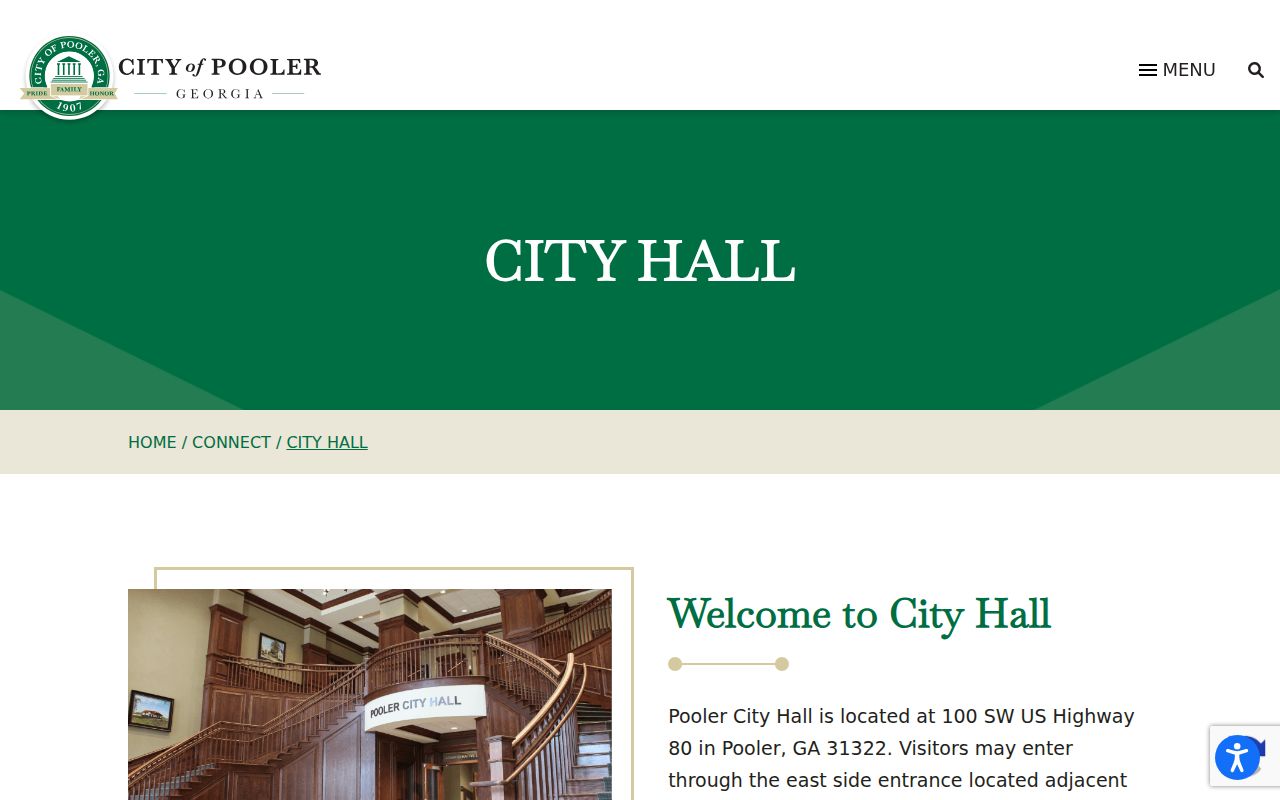
City Hall closes the access chain. Start with the online calendar, then call or visit the municipal court for setting details. Turn to the official records route last, when a docket row does not supply the file.
Pooler Calendar Search Mistakes
A name filter helps. A ticket number works better when you have one, and the Pooler interface itself tells you to type a name and press Enter. Sitting text may leave the table unchanged. Once a match appears, compare the violation date, case number, ticket number, code, and description. A shared name alone is too weak. It cannot identify a court matter by itself.
The table is not a document library. Another common error treats the live Courtware view as if it held filed papers. It shows calendar fields, not complaints, motions, orders, or certified dispositions. A missing image link does not mean the court lacks a file; it means the calendar is doing its date-search job. Use Pooler's Records Requests route or contact the municipal clerk for public documents.
Red is not a severity score. In the interface it has one precise meaning: court appearance is required. A row without red can still carry a deadline. It can still carry legal effect. Read the citation and verify the current setting. Follow the court's instructions, and if a row disappears after a reset or transfer, search the known number and call the clerk rather than assuming the matter ended.
Confirm a Pooler Docket Match
Check the details before you trust a Pooler docket row. Match the ticket number, case number, and name. Check the violation date, code, description, and court setting against what you already know. Save the official route you used. Let the municipal clerk confirm anything about an appearance. A transfer entry means the case now lives elsewhere. Check the Chatham State search only after verifying which court currently holds the record. Need proof of an outcome? Ask the court for the public disposition. Do not rely on a payment receipt or a copy of the calendar.